
Is it Magic or Is it Logseq?
A first foray into Logseq as my digital notes-hub

What does a gardener and a student have in common?
Both stand to benefit from my newest obsession, Logseq.
Logseq is a block-based outliner/note-taking tool that supports bidirectional linking and markdown editing to create intricate knowledge graphs. (If you're curious, it's built using datascript and Datalog, and here's a link to their github)
For those not familiar with note-taker archetypes championed by Tiago Forte and Anne-Laure Le Cunff, The Gardener archetype note-takers have a bottom-up approach to their notes and use the interlinks to identify emerging major ideas, whereas The Student archetype values a structured, purpose built system that fits the current class/project, usually short-term.
Out of the box, Logseq supports simple markdown editing and knowledge graph features similar to Obsidian (learn more at How to get started in Logseq). In addition, it also creates a hub page for each tag or page reference (the two are interchangeable in Logseq) that lists all linked and unlinked references to it in the graph. This is augmented further with queries, which you can use to pull specific pieces of information from across the graph, using boolean filters. (Here's a quick for overview of queries). There is also an extensive marketplace of plugins to add useful relevant functionalities, as we'll see in the use cases.
In this article, I'm gonna share how I use Logseq in both of these styles. My everyday note-taking style is closer to a Gardener, in that I tend to touch a lot of different domains of information like personal admin, books I'm reading, diffuse thoughts that pop up etc. For more structured learning like classes or online course, I prefer a simple, structured note-taking process that's closer to the Student archetype. Let's dive into how I use Logseq for both of these.
The Gardener
My personal note-taking system is a hybrid between my analog and digital tools with very similar structure in both modalities (more on that in a later article). Here’s a few use cases in the system
Rolodex
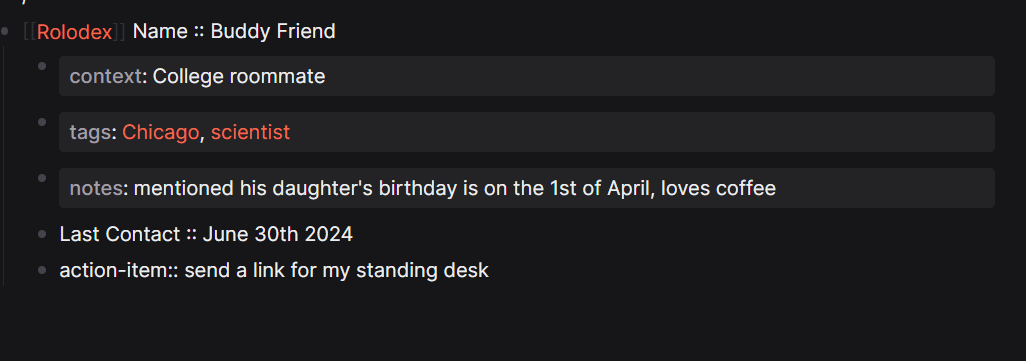
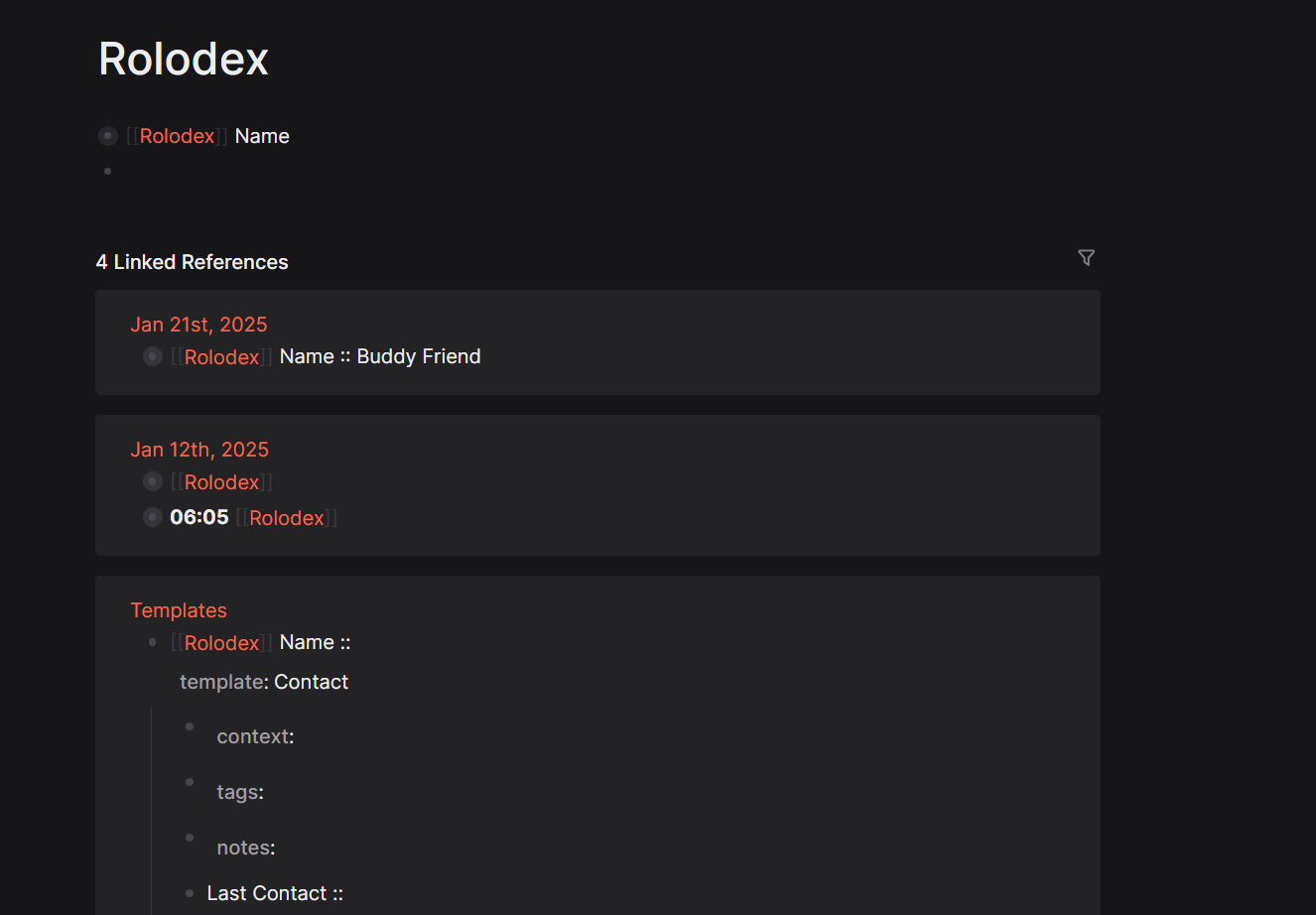
My foray into Logseq started from a search for a Rolodex system. Logseq serves this very conveniently with it's daily journal pages, template and page references.
I first created a template for a contact I then called this contact template in the journals page, enter the relevant information. This template has a built in reference to the Rolodex page, that shows up in each entry. The Rolodex page now has a linked reference to this new contact. (Recreating this feature is possible in Obsidian, but take a few plug-ins).
Task Manager
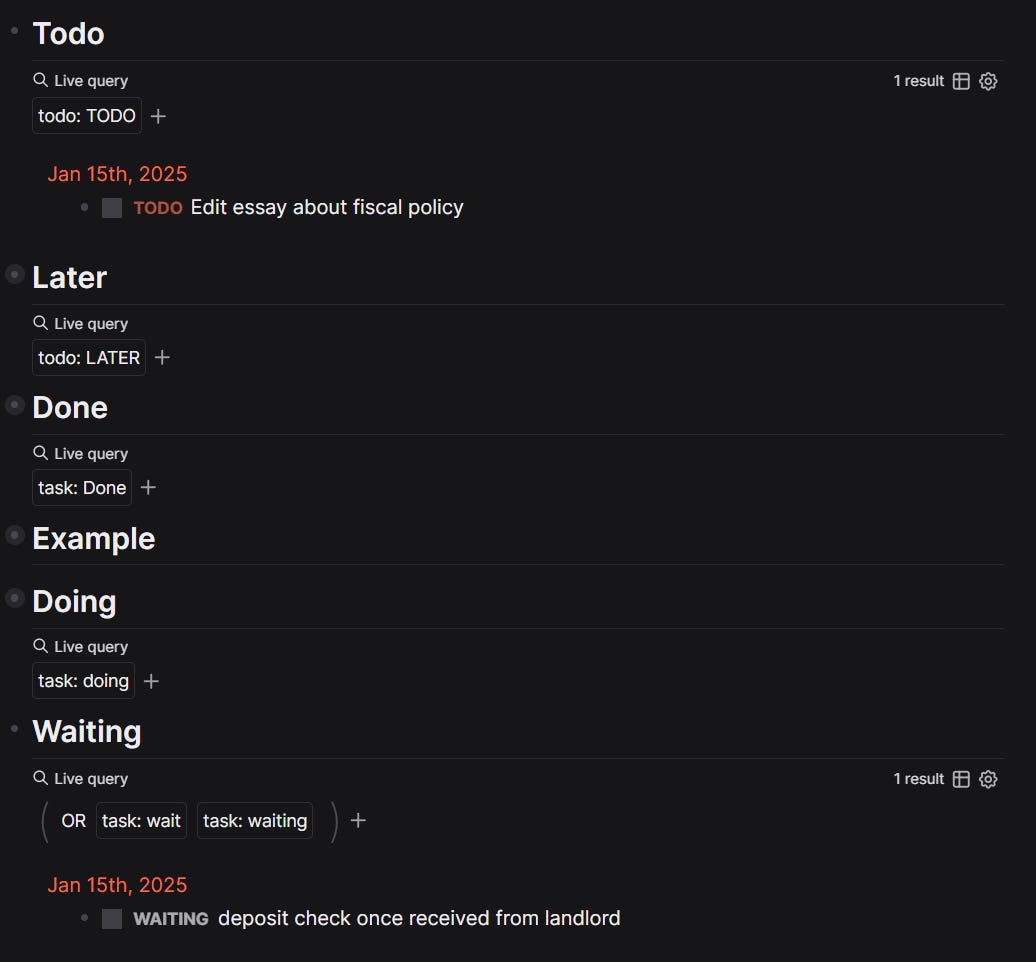
Throughout the day, as tasks come to mind, I add them to the Journals page. I then hit ctrl+enter to cycle through the built-in task states.
The default functionality is to show current tasks in the journals page, but I tweaked this to create different a task manager page. I use basic queries to pull all todo tasks from the graph (including from other pages and journals) into this task manager page. Then, I repeated this for all the other task states to create a centralized actions hub. I created this system to mimic my offline task management system, but there are many pre-built kanban and task management plug-ins available for Logseq, if you prefer those!
Interstitial Journaling
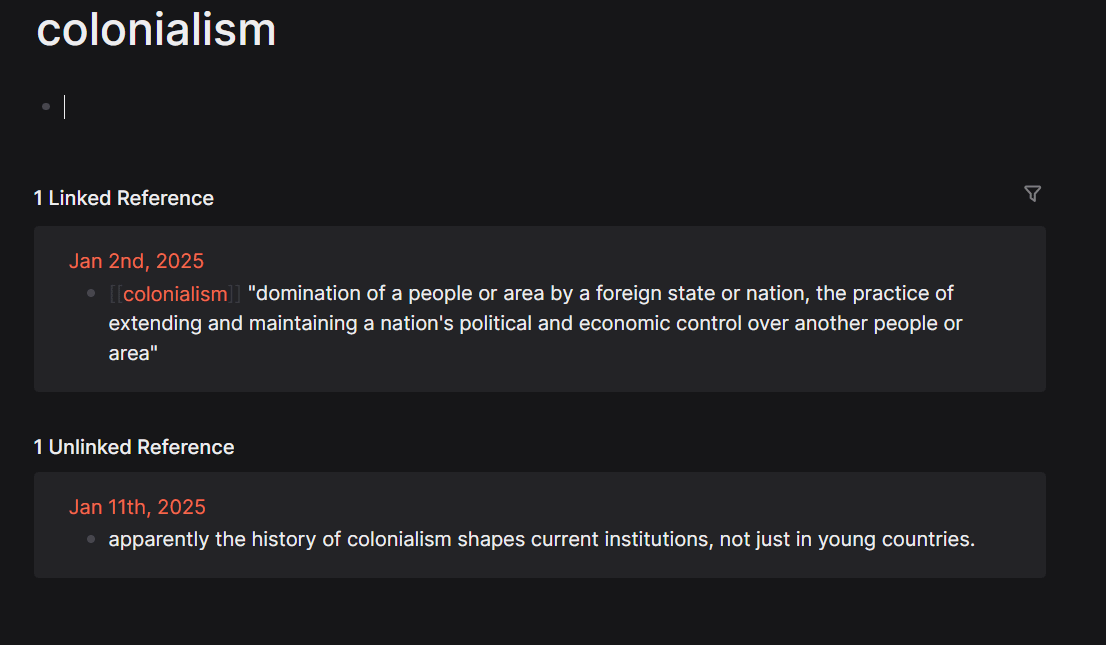
I also practice interstitial journaling in Logseq, using this plug-in that adds a timestamp to each note. I add notes as I go through the day, which show up as unlinked references, or linked references if I add specific tags. This is especially helpful in my Journaling graph.

The Student
I also use Logseq for my online classes and notes. Besides all the previously mentioned features, Logseq has two features in particular that come in handy for students, Namespaces and Pdf annotation.
Namespaces for Top down Heirarchy
Similar to nested tags in Obsidian, Logseq supports namespaces that can be referenced in the Tag/Subtag format. This automatically creates a hierarchy that is listed in pages at or above each level. This is a way to create a top-down structure if you need it in an otherwise unstructured knowledge graph. But as a caveat, Namespaces is a powerful feature that has utility beyond this usecase!
PDF annotation
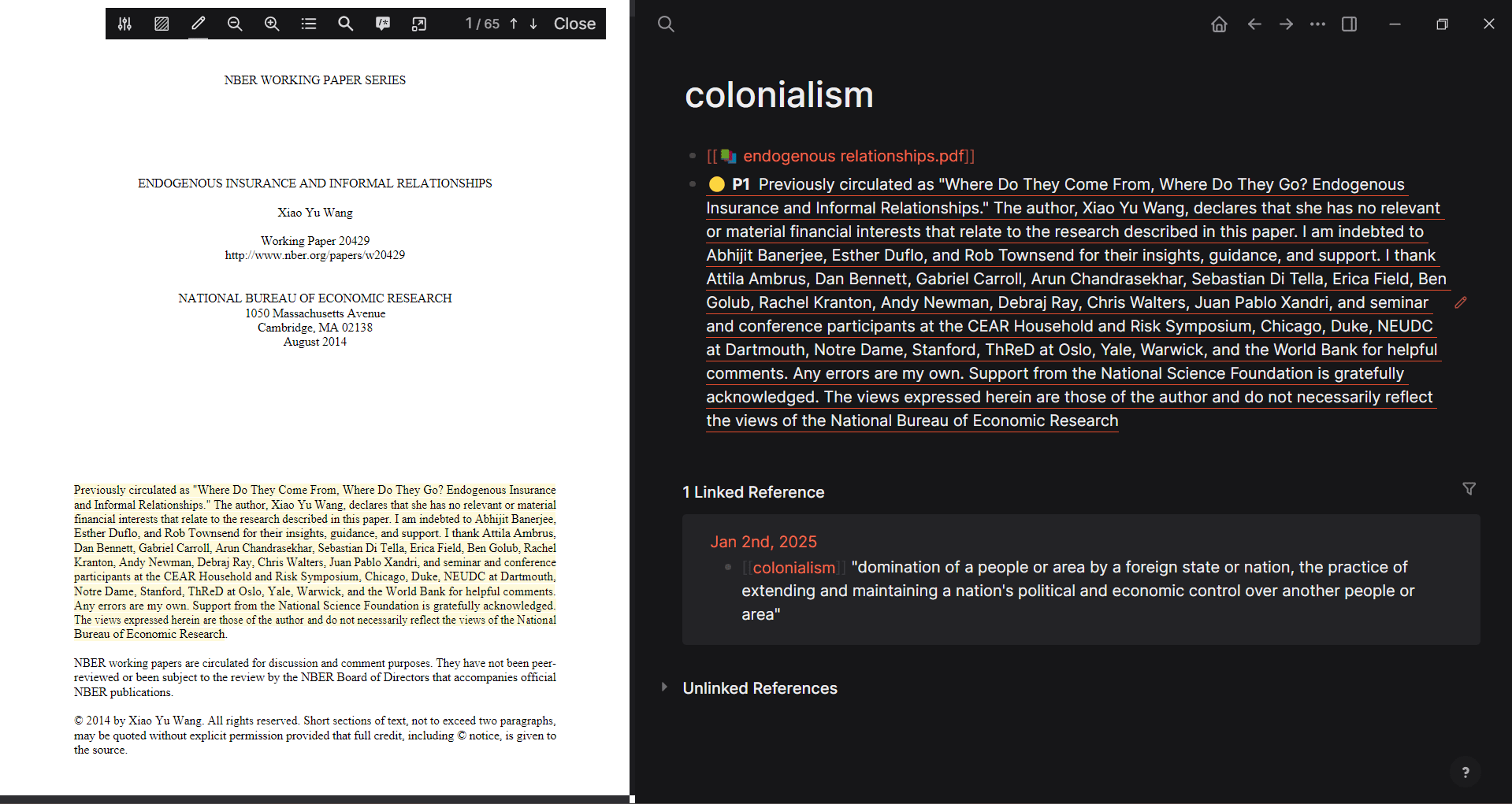
PDF annotation is another area where Logseq shines. References can link to both local and online pdf documents. I added this plugin to make linking local documents easier with a GUI. As I read through the documents, any highlights can be referenced with their unique block identifiers as if they are text blocks in the graph!
Flashcards
Logseq also supports space-repetition through it’s flashcards feature, where you can turn any block into a flashcard by adding a #card tag and adding a cloze. These cards go into a deck under the flashcards tab, and you can use them to quiz yourself. I haven’t used these much, but can see value in using them for memorization focused learning.

Logseq is a powerful tool, and this note is, by no means, comprehensive. As with any tool, there is so much more to Logseq that I'm still figuring out. But, in the spirit of learning in public, this is a start. If you end up trying it, let me know how it worked out for you! Here’s a few links if you wish to experiment yourself!